$_
Returns the current control panel definition.
Description
This variable returns the entire control panel definition of the current page as a plain array. It is mostly used to set the control panel type and its controls to be presented to the user. You can modify it or use it to change the behavior of the control panel based on certain conditions.
It should return one of the standard control panel definition data as explained here, with some more data from the file system combined into it. Use the $_ variable to access it directly, or, if you are inside a function closure, you can also access it directly through the $GLOBALS['_'] variable. All definitions must be primitive, and must be able to be encoded and decoded from/to JSON without changing their initial value.
| Property | Accept | Role |
|---|---|---|
0 | ?false|string | Element name for the first argument of the HTML class. |
1 | ?false|string | Element content for the second argument of the HTML class. If this value is a string, then the entire layout of the control panel will be replaced with this value. |
2 | ?array | Element attributes for the third argument of the HTML class. |
alert | array | Contains status messages for the control panel. Values in the first-level array are alert types, and values given after are the messages to be displayed. |
are | array | Contains page conditional statement data in the are context. |
as | array | Contains page conditional statement data in the as context. |
asset | array | Contains asset paths for the control panel. You may also find some paths of the front-end assets in it, however, they won’t be loaded by default because they contain a skip property with a true value. |
author | string | Contains the key of the currently active user. |
base | string | The base URL of the control panel. |
can | array | Contains page conditional statement data in the can context. |
chunk | ?int | May contain the maximum amount of data to display on the current page for pagination requirements. The default value will be 20. Developers need to declare the default value manually when they find a null value in this property. |
content | ?string | If the value is a string, then the entire component definitions in the lot property will be ignored, and the entire contents of the control panel will be replaced with this value. |
count | int | May contain the total data, including those not visible/loaded on the current page, before and after the current chunk. The default value is 0. Developers need to declare the value manually if they want to tell other extensions that this value can be trusted to use. |
deep | int|true | May contain the folder scanning recursion level to be passed to the $deep parameter in the g() function. |
description | ?array|string | Contains description of the current control panel. Can be used as the meta description value, but will not be useful for users and search engines because control panel area is always private so it will not be indexed. |
file | ?string | If $_['path'] value is a valid file location relative to the .\lot folder, this property will return that file path, otherwise, this property will return null. |
folder | ?string | If $_['path'] value is a valid folder location relative to the .\lot folder, this property will return that folder path, otherwise, this property will return null. |
has | array | Contains page conditional statement data in the has context. |
hash | ?string | Contains the current control panel URL hash value, stored in $_COOKIE['hash'], usually set by JavaScript, because it is not possible to capture URL hash using PHP. |
icon | array | Contains SVG icon paths for the control panel. Values are mostly set by the components automatically. These values will be used to group all of the defined SVG icons in control panel into a single <svg> tag to be loaded just after the opening <body> tag, for inline SVG optimization. |
is | array | Contains page conditional statement data in the is context. |
kick | ?array|string | If this value exists, it will be used as a redirection URL to be visited after the request has been successfully processed. If the value is an array, it will be converted into a control panel URL string by the x\panel\to\link() function automatically. |
lot | array | Contains items where each item has a type. Values in this property will be ignored if content property exists with a string value, even if it is just an empty string. Each item should have a stack property to set the order of each item consistently. If this property does not exist, it will be assigned a value of 10 by default. Item with a falsy value or with an array value containing a skip property with a truthy value will be ignored. |
not | array | Contains page conditional statement data in the not context. |
of | array | Contains page conditional statement data in the of context. |
part | ?int | Contains the current page offset. The presence of this data can also be used to determine whether the user is currently on the item page or the items page. Location http://127.0.0.1/panel/get/asset/documents/1 indicates that the user is currently viewing a list of files and folders in the .\lot\asset\documents folder, while location http://127.0.0.1/panel/get/asset/documents indicates that user is currently viewing a folder editor to edit the .\lot\asset\documents folder. |
path | ?string | Contains URL path data after $_['task'] and before $_['part']. |
query | ?array | Contains URL query in the form of array. |
sort | ?array | May contain the data sorting parameter. The first item determines the sorting direction (1 or +1 for ascending and -1 for descending), the second item determines the sorting key. |
status | int | May contain the desired HTTP response status. Usually 200, 401, 403, 404, or 405. |
task | string | Contains the name of the task as shown in the control panel URL. The value can be get, let, set, or fire/* where * is the custom task name. |
title | ?string | Contains the last page title parts. |
token | string | Contains the current active user’s access token. |
type | ?string | Contains the name of the currently active pre-defined layout type. The value can be changed by adding a type parameter in the control panel URL. |
with | array | Contains page conditional statement data in the with context. |
x | ?int|string | May contain the type (0 for folder and 1 for file) or file extensions to be passed to the $x parameter in the g() function. |
Examples
It is very common to extract the $GLOBALS variable at the beginning of each closure to be able to use the variable name as if we were in the global scope:
// :(
function panel($a, $b, $c) {
    $content = $GLOBALS['_']['content'] ?? null;
    $description = $GLOBALS['_']['description'] ?? null;
    $title = $GLOBALS['_']['title'] ?? $GLOBALS['page']->title ?? null;
}

// :\
function panel($a, $b, $c) {
    $_ = (array) ($GLOBALS['_'] ?? []);
    $page = $GLOBALS['page'] ?? new Page;
    $content = $_['content'] ?? null;
    $description = $_['description'] ?? null;
    $title = $_['title'] ?? $page->title ?? null;
}

// :)
function panel($a, $b, $c) {
    extract($GLOBALS, EXTR_SKIP);
    $content = $_['content'] ?? null;
    $description = $_['description'] ?? null;
    $title = $_['title'] ?? $page->title ?? null;
}
// :(
$panel = static function ($a, $b, $c) {
$content = $GLOBALS['_']['content'] ?? null;
$description = $GLOBALS['_']['description'] ?? null;
$title = $GLOBALS['_']['title'] ?? $GLOBALS['page']->title ?? null;
};
// :\
$panel = static function ($a, $b, $c) {
$_ = (array) ($GLOBALS['_'] ?? []);
$page = $GLOBALS['page'] ?? new Page;
$content = $_['content'] ?? null;
$description = $_['description'] ?? null;
$title = $_['title'] ?? $page->title ?? null;
};
// :)
$panel = static function ($a, $b, $c) {
extract($GLOBALS, EXTR_SKIP);
$content = $_['content'] ?? null;
$description = $_['description'] ?? null;
$title = $_['title'] ?? $page->title ?? null;
};
// :)
$panel = static function ($a, $b, $c) use ($_, $page) {
$content = $_['content'] ?? null;
$description = $_['description'] ?? null;
$title = $_['title'] ?? $page->title ?? null;
};Alert
Declares alert messages using the standard control panel data definition style. By default, it has no effect unless you have the Alert extension installed.
To declare an alert is quite simple:
$_['alert']['error'][] = 'Message goes here.';Values in the first-level array are alert types. It has no special rules. You can add any type of alert you want, but in general, it can be expressed as error, info, and success. Especially for the error type, it is very often used to prevent the next operation from being performed if there is at least one error alert data available when the request is made:
$_['alert']['error'][] = 'This is an error message.';
$_['alert']['info'][] = 'This is an info message.';
$_['alert']['success'][] = 'This is a success message.';

$_['alert']['info'][] = 'This is another info message.';
$_['alert']['info']['ref-123'] = 'This is an info message with static reference.';

// This will remove the info message that said ‘This is an info message with static reference.’
unset($_['alert']['info']['ref-123']);

// This will replace the info message that said ‘This is an info message with static reference.’ with an ‘###’
$_['alert']['info']['ref-123'] = '###';

// Example with variable(s) in string
$_['alert']['info'][] = ['Hello, my name is Taufik.'];
$_['alert']['info'][] = ['Hello, my name is %s.', 'Taufik'];
$_['alert']['info'][] = ['%s, my name is %s.', ['Hello', 'Taufik']];
if (!empty($_['alert']['error'])) {
return $_; // Skip the operation at this point, due to the previous errors!
}
// From this point forward, the file operation will be performed…
$file = $_['file'] ?? "";
if (!$file || !is_file($file)) {
$_['alert']['error'][] = ['Path %s is not a valid file.', ['<code>' . $file . '</code>']];
return $_; // Skip the operation at this point, due to an invalid file!
}
if (rename($file, dirname($file) . D . 'asdf.txt')) {
$_['alert']['success'][] = ['File %s successfully renamed to %s.', ['<code>' . $file . '</code>', '<code>asdf.txt</code>']];
} else {
$_['alert']['error'][] = ['Could not rename file %s due to a file system error.', ['<code>' . $file . '</code>']];
}
return $_;Asset
Declares assets to be included in the control panel using the standard control panel data definition style. By default, it has no effect unless you have the Asset extension installed.
Insert asset files this way:
// Load asset file from local host
$_['asset'][] = [
    'path' => '.\path\to\file.css',
    'stack' => 10
];

// Load asset file from external URL
$_['asset'][] = [
    'link' => 'https://code.jquery.com/jquery-3.6.1.min.js',
    'stack' => 10
];
The stack property specifies the loading order of the asset files in the HTML output. You can also use the link or url property instead of path to load external asset files.
Asset output will follow the file path extension. If the path ends with .css, then the data will be converted into a <link rel="stylesheet"> element. If the path ends with .js, then the data will be converted into a <script> element.
Static reference written as a set of non-numeric characters will be converted into an id attribute in the HTML output. You can also set a custom id value different from the asset reference by adding an id property. If you set the value to false on this property, then the id attribute will be completely removed:
// `<script id="jquery-3.6.1" src="https://code.jquery.com/jquery-3.6.1.min.js"></script>`
$_['asset']['jquery-3.6.1'] = [
    'link' => 'https://code.jquery.com/jquery-3.6.1.min.js',
    'stack' => 10
];

// `<script id="jquery-library" src="https://code.jquery.com/jquery-3.6.1.min.js"></script>`
$_['asset']['jquery-3.6.1'] = [
    'id' => 'jquery-library',
    'link' => 'https://code.jquery.com/jquery-3.6.1.min.js',
    'stack' => 10
];

// `<script src="https://code.jquery.com/jquery-3.6.1.min.js"></script>`
$_['asset']['jquery-3.6.1'] = [
    'id' => false,
    'link' => 'https://code.jquery.com/jquery-3.6.1.min.js',
    'stack' => 10
];
You can hide (unload) certain asset files from the HTML output without removing the asset data by adding the skip property with a true value (this property has the value set to false by default).
$_['asset']['jquery-3.6.1'] = [
    'link' => 'https://code.jquery.com/jquery-3.6.1.min.js',
    'stack' => 10
];

// Unload asset `https://code.jquery.com/jquery-3.6.1.min.js`
$_['asset']['jquery-3.6.1']['skip'] = true;
Other HTML attributes can be set via the 2 property:
// `<script async src="https://code.jquery.com/jquery-3.6.1.min.js" type="text/javascript"></script>`
$_['asset'][] = [
    '2' => [
        'async' => true,
        'type' => 'text/javascript'
    ],
    'link' => 'https://code.jquery.com/jquery-3.6.1.min.js'
];
Icon
The icon property exists to store the control panel’s icon data. This data is usually auto-filled when a component that has an icon feature is present on the page.
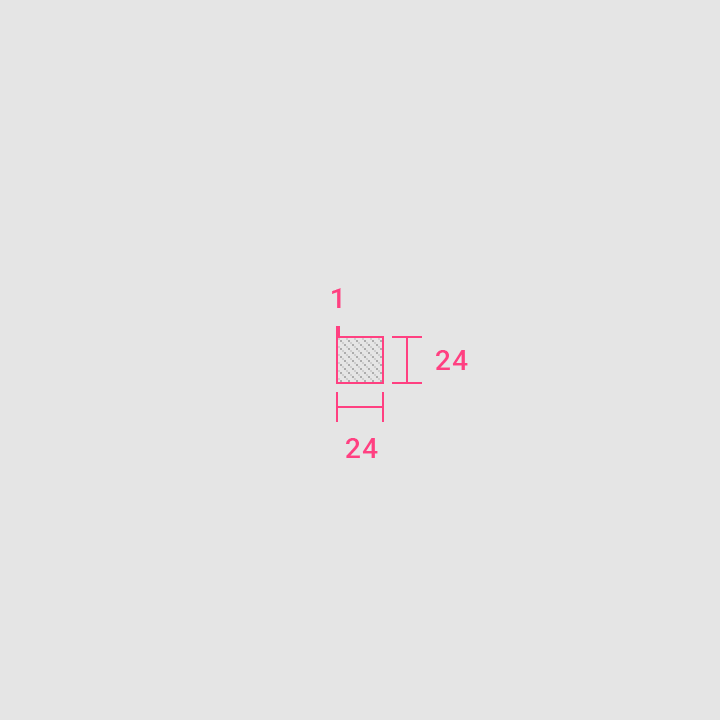
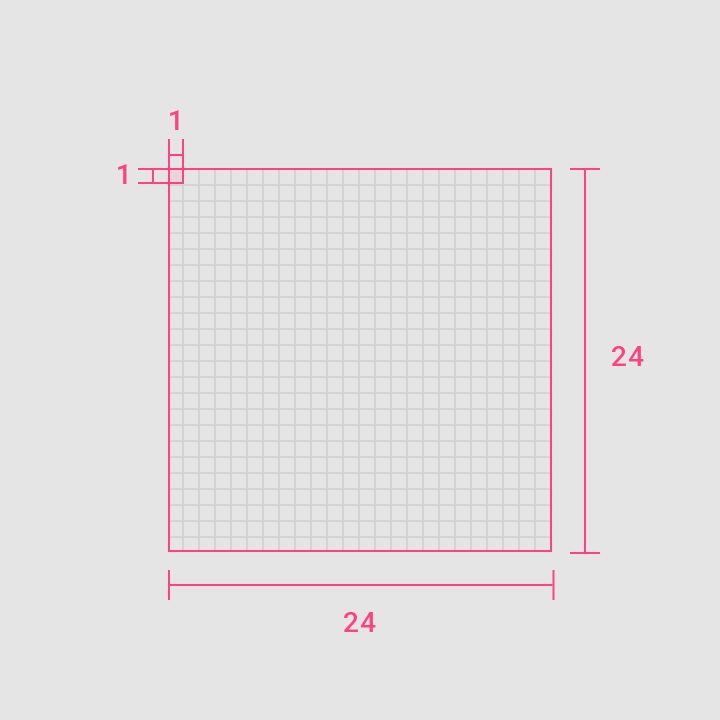
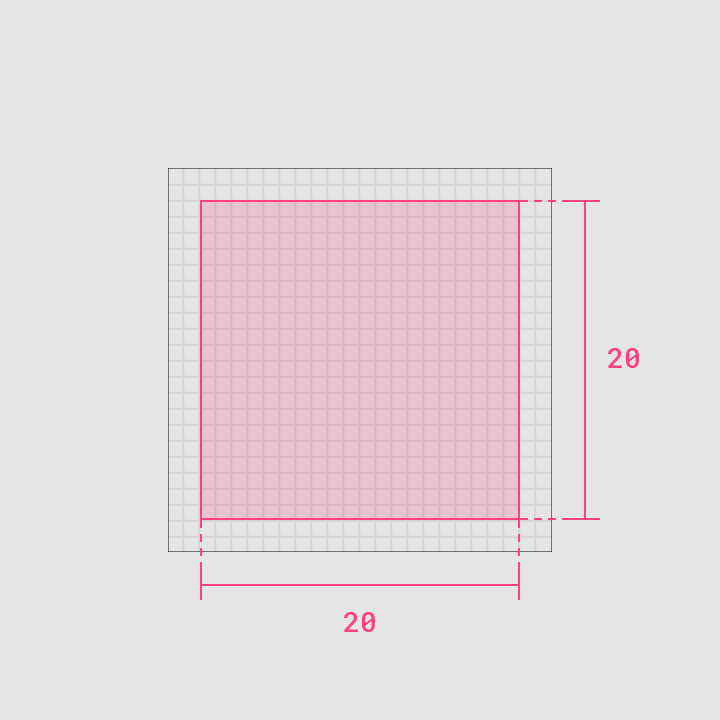
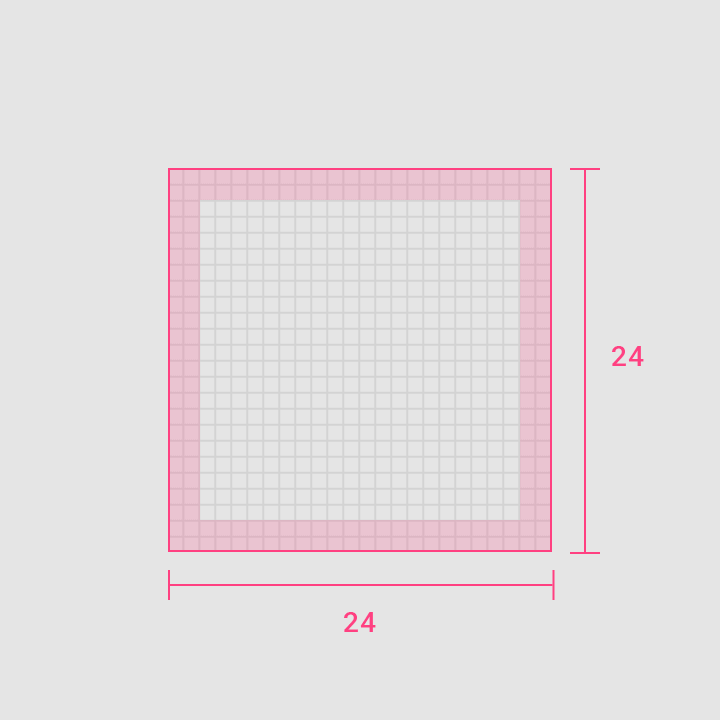
Get the icon path you want from Google’s Material design icons browser, or use the community version of the Material design icons browser, which is easier to use and offers more icon alternatives made by contributors. Another alternative includes a site like Icônes, where you can get a large number of icons that are not Material, but have compatible viewBox values (choose icons that have a viewBox of 0 0 24 24 or a multiple of that).
Be sure to follow the guidelines of the original Material icon system if you want to use icon path data from a third party to represent your own brand.
| 100% Scale | 1000% Scale |
|---|---|
 |  |
| Live Area | Padding |
|---|---|
 |  |
Lot
Defined under namespace x\panel\lot\type. The following are some common property names. Not all of these properties will be applied to the component, and even if they do exist as component data, they do not always have a role. They may come from the parent data. However, these properties will always have the same functionality across all components.
| Property | Accept | Role |
|---|---|---|
0 | ?false|string | Element name for the first argument of HTML class. |
1 | ?false|string | Element content for the second argument of HTML class. |
2 | ?array | Element attributes for the third argument of HTML class. |
active | bool | Usually exists to indicate that a field or a link is disabled. Its default value would be true. Means that if this property does not exist, then it will have an implicit active property with value true. You have to set this property with value false to disable a field or a link. |
are | array | This property stores HTML class data as associative array with prefix are:. These data will then be combined with the data in the tags property. Some data like active and current might also set this property values automatically. For example, if there is an active property with value true, it will add an item active in the are property with value true automatically. So it will prepare the component to add class is:active in the HTML output. |
as | array | This property stores HTML class data as associative array with prefix as:. These data will then be combined with the data in the tags property. |
can | array | This property stores HTML class data as associative array with prefix can:. These data will then be combined with the data in the tags property. |
count | int | Usually exists to indicate total data of something. |
current | bool | Usually exists to indicate current link in a menu list. This property does not determine its value automatically as you might think. You have to use your own way to determine if a link is in the current state or not. |
decors | array | Accapts list of key-value pairs for inline CSS declarations. The values can then be presented as inline style attribute in the HTML output. This is probably not standard as I am currently struggle with the naming convention to make sure it matched with the tags key functionality. |
description | ?array|string | Determines the component description. |
has | array | This property stores HTML class data as associative array with prefix has:. These data will then be combined with the data in the tags property. |
hint | ?array|string | Determines the field’s placeholder text. |
icon | array|false|string | Determine the component icon path if it supports icon. |
id | scalar | Determine the component ID. |
image | false|string | Determine the component image URL if it supports image. |
is | array | This property stores HTML class data as associative array with prefix is:. These data will then be combined with the data in the tags property. |
key | scalar | This usually sets automatically as the $key variable. |
keys | array | |
link | array|false|string | |
name | ?string | Usually exists to determine the field’s name attribute. |
not | array | This property stores HTML class data as associative array with prefix not:. These data will then be combined with the data in the tags property. |
of | array | This property stores HTML class data as associative array with prefix of:. These data will then be combined with the data in the tags property. |
size | int | |
skip | bool | If this value is true then the component will not be rendered in the output. |
stack | float|int | This value determines the stack order of the components that exist in the lot property. |
tags | array | Accapts list of HTML class names, or a key-value pairs where the keys will be used as the class name and the value will be used to indicate if the key will be included in the HTML class list or not. |
text | ?string | If a value is assigned to this property and this property is to be used to display data, then all HTML elements in it must be stripped off before it reaches the output. If you want to preserve the HTML elements, consider using the content, description, or title properties. If you want to preserve the HTML elements but wants them to be escaped in the output, then consider using the value property. HTML entities like × are HTML elements, however multi-byte strings written as-is such as × need to be treated as plain text which doesn’t need to be removed. |
title | ?array|string | Determines the component title. |
type | string | Determines the component type. |
unit | array|string | Describes a purpose of a value. For example, if you have 'px' value set on this property, this property will add a suffix contains text 'px' to the number input to tell the user that the number he/she put on the input is to be used as a pixel value. |
url | array|false|string | |
value | mixed | Usually exists to determine the field’s value attribute. |
values | array | Usually exists to determine the field’s value attribute. Some field types such as field/colors and field/items need to hold multiple values at once. This values property will be more dominant to use compared to the value property. The value can be a sequence array or an associative array, depending on the needs and specifications of the field. |
with | array | This property stores HTML class data as associative array with prefix with:. These data will then be combined with the data in the tags property. |
General syntax:
x\panel\lot\type(array $value, int|string $key): ?Stringable|stringExample usage:
echo x\panel\lot\type([
    'title' => 'Section Title',
    'description' => 'Section description.',
    'type' => 'section',
    'content' => '<p>Section content goes here.</p>'
], 0);
The example below calls the section type directly so you don’t have to specify the type property:
echo x\panel\lot\type\section([
    'title' => 'Section Title',
    'description' => 'Section description.',
    'content' => '<p>Section content goes here.</p>'
], 0);
Type
| Type | Description |
|---|---|
blank | A blank control panel layout, consisting of a top navigation bar with pre-defined data and an empty body. |
blob/x | A blob layout optimized for uploading extensions. |
blob/y | A blob layout optimized for uploading layouts. |
blob | A control panel layout contains a form to upload files. |
data | A control panel layout contains a form to create/delete/update files with the extension .data. |
file | A control panel layout contains a form to create/delete/update files. |
files/cache | A files layout with limited features, optimized for managing cache files (mostly just for deleting the cache files). |
files/trash | A files layout with limited features, optimized for managing trash files (mostly for recovering deleted files or permanently deleting trash files). |
files/x | A files layout optimized for managing extension files. |
files/y | A files layout optimized for managing layout files. |
files | A control panel layout to list files and folders in a folder. |
folder | A control panel layout contains a form to create/delete/update a folder. |
folders | This is an alias for files. |
page/page | A page layout optimized to create/delete/update page files stored in the .\lot\page folder. |
page/user | A page layout optimized to create/delete/update user files stored in the .\lot\user folder. |
page | A control panel layout contains a form to create/delete/update page files (files with extension .archive, .draft, or .page). |
pages/page | A pages layout optimized to list page files stored in the .\lot\page folder. |
pages/user | A pages layout optimized to list user files stored in the .\lot\user folder. |
pages/x | A pages layout optimized to list page files stored in the .\lot\x\* folder. |
pages/y | A pages layout optimized to list page files stored in the .\lot\y\* folder. |
pages | A control panel layout to list page files (files with extension .archive, .draft, or .page) in a folder. |
state | A control panel layout contains a form to update the state.php file. Not quite functional except for internal use. |
void | A blank control panel layout, with no top navigation and an empty body. Useful as an error page, or to prevent users from using the control panel unless a specific action is performed. |
Some of the optional extensions have also implemented their own layout types that inherit from the layouts listed above:
| Type | Description |
|---|---|
page/comment | A page layout optimized to create/delete/update comment files stored in the .\lot\comment folder. |
pages/comment | A pages layout optimized to list comment files stored in the .\lot\comment folder. |
page/tag | A page layout optimized to create/delete/update tag files stored in the .\lot\tag folder. |
pages/tag | A pages layout optimized to list tag files stored in the .\lot\tag folder. |
You can display the desired control panel layout by appending a type query to the URL with the control panel layout type:
http://127.0.0.1/panel/set/page?type=page/pageDepending on the situation, the control panel layout can be automatically set or even ignored without the need to append a type query in the URL, or it can also redirect you to the correct control panel type when a dangerous action might occur. For example, if you try to create a file in a folder by manually opening an empty ?type=file layout in the address bar, but it turns out that the control panel path actually points to a file without an extension, you will be automatically redirected to the form to edit that extension-less file.
- If the current control panel path points to a file, the control panel layout is implicitly set to
file. - If the current control panel path points to a file with the extension
.data, the control panel layout is implicitly set todata. - If the current control panel path points to a file with the extension
.archive,.draft, or.page, the control panel layout is implicitly set topage. - If the current control panel path points to a file with the extension
.archive,.draft, or.pagestored in the.\lot\pagefolder, the control panel layout is implicitly set topage/page. - If the current control panel path points to a file with the extension
.archive,.draft, or.pagestored in the.\lot\userfolder, the control panel layout is implicitly set topage/user. - If the current control panel path points to a folder, it implicitly sets the control panel layout to
folder. If it contains a page offset (thepartproperty has a value greater than0), it will implicitly set the control panel layout tofiles. - If the current control panel path points to the
.\lot\pagefolder or any folders in it, and it contains a page offset, it will implicitly set the control panel layout topages/page. Otherwise, it will implicitly set the control panel layout tofolder. - If the current control panel path points to the
.\lot\userfolder, and it contains a page offset, it will implicitly set the control panel layout topages/user. Otherwise, it will implicitly set the control panel layout tofolder.
URL
Control panel URL consists of several parts. You are considered in the panel when you are logged-in and are in the scope of http://127.0.0.1/panel/fire/*, http://127.0.0.1/panel/get/*, http://127.0.0.1/panel/let/*, or http://127.0.0.1/panel/set/* where * cannot be numbers. An exact URL points to http://127.0.0.1/panel or http://127.0.0.1/panel/* where * is numbers greater than 0 does not implement this rule and will be used to display a generic page rendered from a file stored as .\lot\page\panel.archive or .\lot\page\panel.page or pages that come from files stored in .\lot\page\panel folder.
Note that the /panel route is not static and can be changed to another route by setting the route property in the .\lot\x\panel\state.php file.
Control panel URL is divided into several parts as follows:
| Property | Description |
|---|---|
base | The base URL, in this case, is 'http://127.0.0.1/panel'. Value cannot be null. |
hash | The URL hash. If the value is "" (an empty string) or null, then the URL is considered to have no hash. In an application that works on the server side, this data is useless, unless you want to create a control panel URL from data to be used as a redirection target. |
part | The URL part after path. Value can be any numbers greater than -1, or null. This value specifies the pagination offset. |
path | The URL part after task. Should point to a file or folder inside the .\lot folder. |
query | The URL query string stored as an array. If the value is [] (an empty array) or null, then the URL is considered to have no query. |
task | The URL part after base. Value functions as an order to execute tasks. Value can be 'get', 'let', 'set', or 'fire' —with a user-defined command name following after. |
An internal function is available to build a control panel URL from an array. Not all parts of the URL have to be declared. Some undeclared values will be available automatically based on the current URL data stored in $_.
Base
This value is mostly read-only, and would normally contain a root URL followed by a sub-path pointing to the control panel context. The sub-path can be customized by changing the route property value in the .\lot\x\panel\state.php file. It is a good practice to periodically change it to a value that is not easy guess. Hackers will usually try to guess your control panel route by manually typing it in the address bar using common phrases like /admin or /login:
<?php

return [
    // `$_['base']` value is now `'http://127.0.0.1/panel-e7178768'`
    'route' => '/panel-e7178768',
    …
];
Hash
This property has no value, and it is not possible to capture the URL hash using server side language anyway, so it is reserved.
Part
TODO
Path
TODO
Query
There are a number of reserved control panel URL queries:
| Query | Description |
|---|---|
chunk | Sets the maximum amount of data to display on the current page for pagination requirements. Specifying a value in this query will also change the current value of the $_['chunk'] variable. |
deep | Sets the folder scanning recursion level to be passed to the $deep parameter in the g() function. Specifying a value in this query will also change the current value of the $_['deep'] variable. |
kick | Will be used as a redirection URL to be visited after the request has been successfully processed. If the value is an array, it will be converted into a control panel URL string by the x\panel\to\link() function automatically. Specifying a value in this query will also change the current value of the $_['kick'] variable. |
query | Contains control panel URL query in the form of an array. You can modify its values, but in most cases, it is more useful for read-only purposes. When you modify its values, you probably mean to modify the values of the global $_GET variable. If that’s the case, you will need to modify the values on both variables. |
sort | Determines the data sorting parameter. The first item determines the sorting direction (1 or +1 for ascending and -1 for descending), the second item determines the sorting key. Specifying a value in this query will also change the current value of the $_['sort'] variable. |
stack | Serves to activate a stack based on its value. For example, requesting http://127.0.0.1/panel/get/page/lorem-ipsum.page?stack[the-stack-name]=the-stack-value directly will activate the stack with value the-stack-value in group the-stack-name. |
tab | Serves to activate a tab based on its value. For example, requesting http://127.0.0.1/panel/get/page/lorem-ipsum.page?tab[the-tab-name]=the-tab-value directly will activate the tab with value the-tab-value in group the-tab-name. |
token | Serves to carry the CSRF token on tasks performed via the GET method. Specifying a value in this query will also change the current value of the $_['token'] variable. |
type | Serves to manually specify the control panel layout type if it allows you to modify the control panel layout type via URL. Specifying a value in this query will also change the current value of the $_['type'] variable. |
x | Sets the type (0 for folder and 1 for file) or file extensions to be passed to the $x parameter in the g() function. Specifying a value in this query will also change the current value of the $_['x'] variable. |
All of the above queries, if present in the control panel URL, including any other queries which are not reserved, will affect the current value of the $_['query'] variable.
Task
TODO
| Task | Description |
|---|---|
fire/* | |
fire/attach | |
fire/detach | |
fire/fix | |
fire/flush | |
fire/fuse | |
fire/fuse | |
fire/get | |
fire/let | |
fire/pull | |
fire/recover | |
fire/set | |
fire/zip | |
get | |
let | |
set |
Files
There are several file locations that you can use to safely enter or modify the current control panel definition data:
.\lot\x\*\index\panel.phpand.\lot\y\*\index\panel.phpfiles should have a$_variable in them, ready to be modified or used. Don’t forget to return the modified$_variable to make sure it gets passed on to the next files..\lot\x\*\index.phpand.\lot\y\*\index.phpfiles can also be used, but the$_variable cannot be guaranteed to exist in them immediately, unless you have a parent folder name that when it is sorted alphabetically against the.\lot\x\panelfolder, then it is guaranteed to always be placed after the.\lot\x\panelfolder. To overcome its inconsistencies, you can modify the$_variable via the_hook, so that it is always executed later. It also ensures that the control panel definition data will be up to date, since this hook will be executed at the very last.
Example usage as .\lot\x\*\index\panel.php or .\lot\y\*\index\panel.php files:
$_['title'] = 'Title Goes Here';
$_['description'] = 'Description goes here.';

return $_;
Example usage as .\lot\x\*\index.php or .\lot\y\*\index.php files:
Hook::set('_', function ($_) {
    $_['title'] = 'Title Goes Here';
    $_['description'] = 'Description goes here.';
    return $_;
});
Using the hook method is probably the safest way for now since we can guarantee that the control panel data will always be up to date. But it may give you a tiny performance problem as hooks are working in stacks, and it will be sorted by the stack value before they are being executed in sequence so it requires extra steps before going to the actual tasks.